Payments are automatic for your convenience – Your payments are normally made automatically each billing cycle via your saved credit or direct debit.
You can pay manually if automatic payment fails – If you have an outstanding invoice because a payment failed due to insufficient funds, you can manually reattempt to pay that particular invoice.
Updating the payment details in your account before paying
The primary and billing contact can update your payment details. This will trigger a payment reattempt and will withdraw funds for all invoices in arrears.
If you have multiple accounts, it might be because you use multiple payment methods that you may need to update. Learn more as a business or as an accountant or bookkeeper.
If you have invoices in arrears because we couldn't process your payment, you'll see a message at the top of the Payment details page showing the amount of the outstanding payment and the amount of invoices affected. For example:

If you want more information about what's on your bill, see Understanding your MYOB bill.
Manually reattempting a failed payment
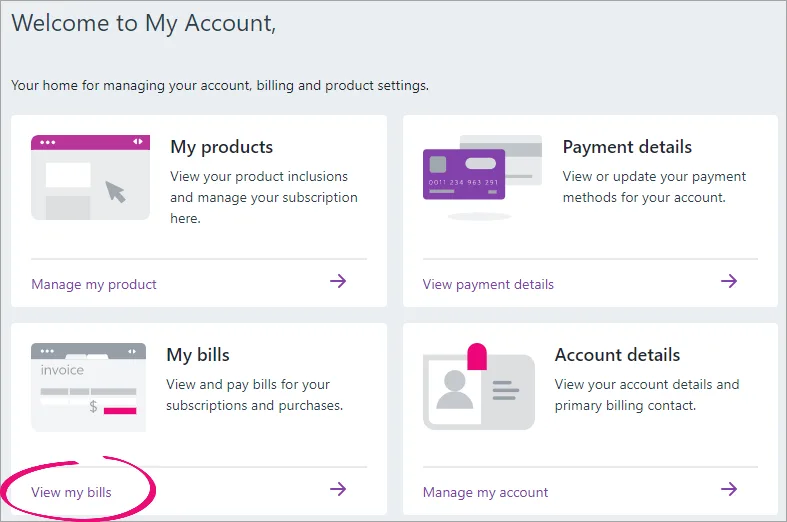
Go to My Account and make sure the correct account is selected on the top right.
Click View my bills.
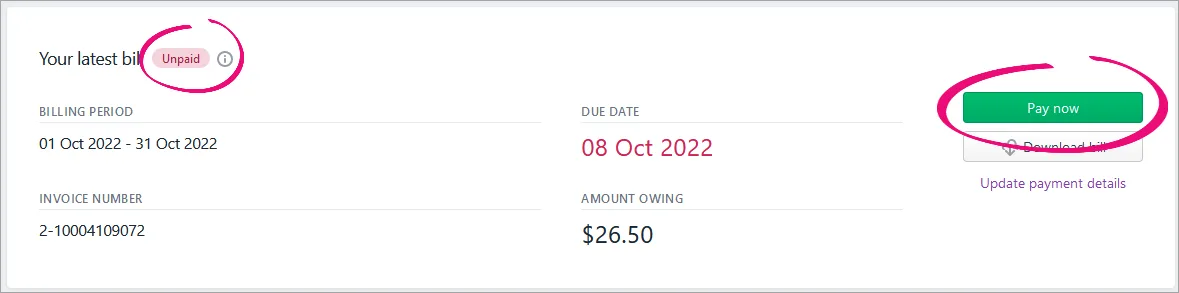
Click Pay now on the unpaid invoice.
Select your payment method.
Saved payment method
You can only use this option if you have one payment method saved to your account, not if you have no or multiple saved payment methods.
The primary MYOB business contact or the payment detail contact can update the payment details before you pay.
Select this option to pay using the payment method previously saved to your account.
Click the Pay button to pay the amount shown on the button.
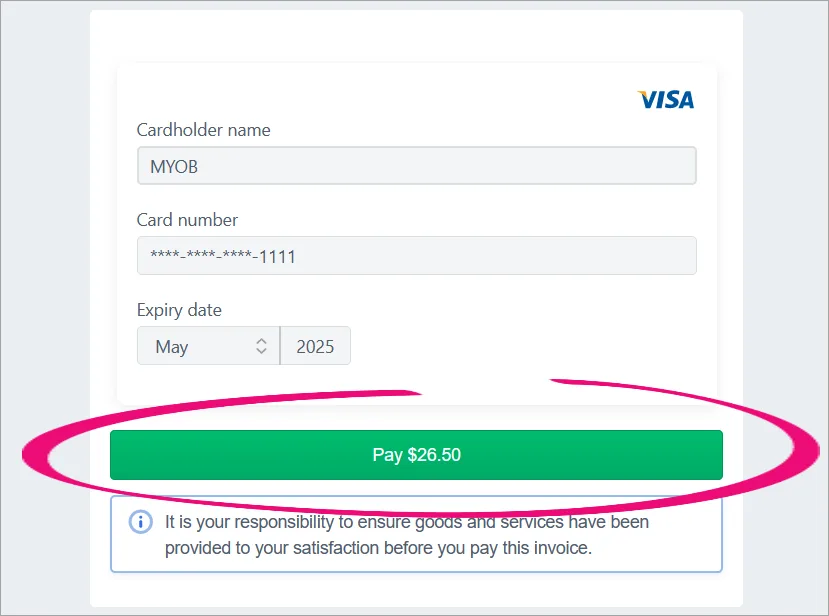
You'll see the message "A debit is being processed for your payment method". The payment is processed within 24 hours.New payment details
Select this option to pay using a new payment method.
Select Credit or debit card, enter the payment details and click the Pay button to pay the amount shown on the button.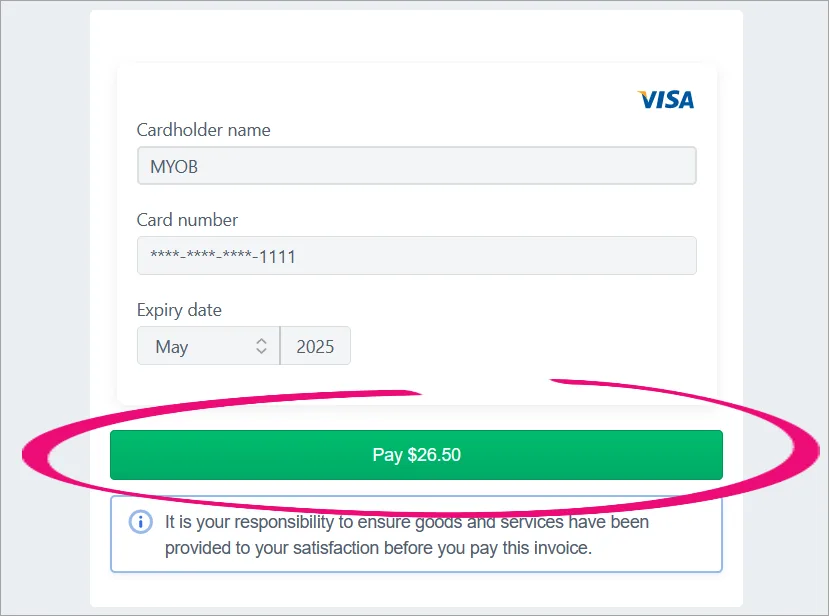
You'll see the message "A debit is being processed for your payment method". The payment is processed immediately.


