Automation of key integrations is available for customers to activate. Currently the following Automations are available:
Xero Tax
Xero Accounting
Client Integration
NowInfinity
To activate Integration Automation, complete the below steps to register your site for Automation.
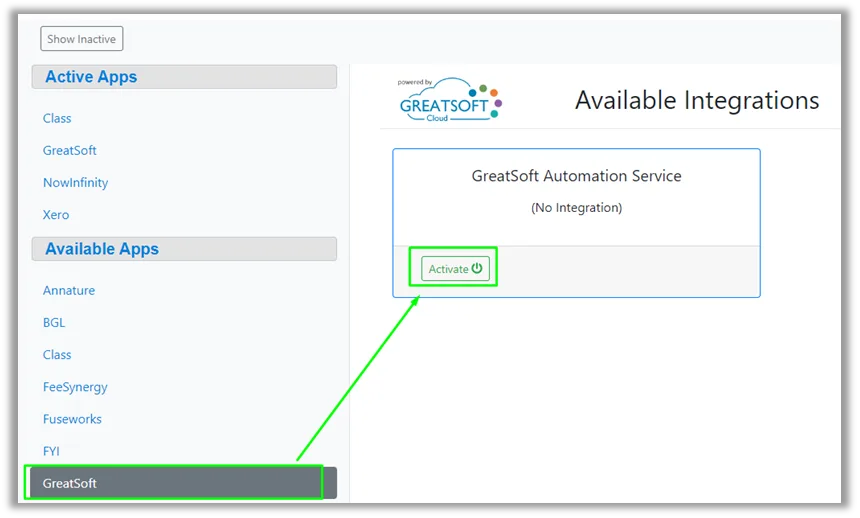
Navigate to the Integrations page.
Select GreatSoft from the Available Apps area and click activate.
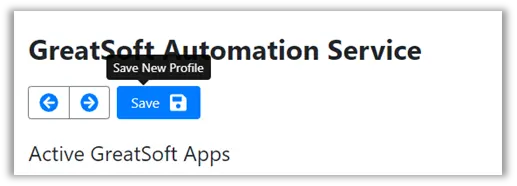
Click Save to Activate GreatSoft Automation.
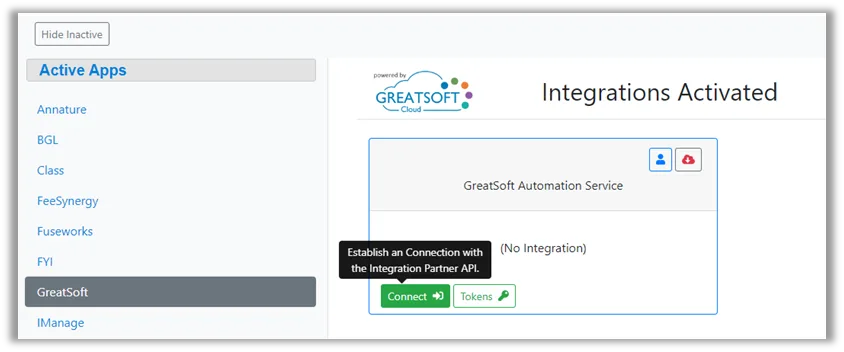
Once saved, select GreatSoft from the Active Apps and click Connect.
Click the Connect button to initiate a connect to the main GreatSoft Automation Service.
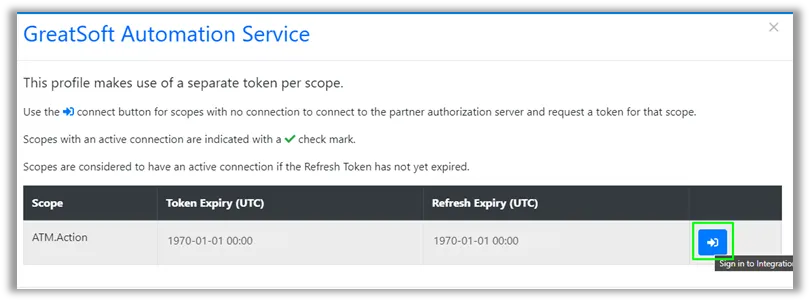
Once connected Click Close


Your site is now registered with the GreatSoft Automation service, this will allow you to setup Automation processes for your GreatSoft site.