As an administrator, add new users to make sure that your team can access Client Accounting. You can also customise their access to fit their roles.
Add a staff user
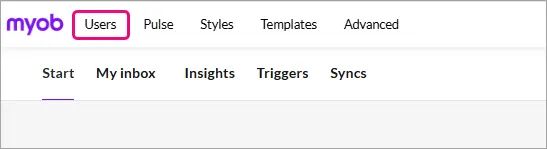
In MYOB Compliance, click the MYOB logo and select Users in the top left corner.
On the Users page, select Add staff user.
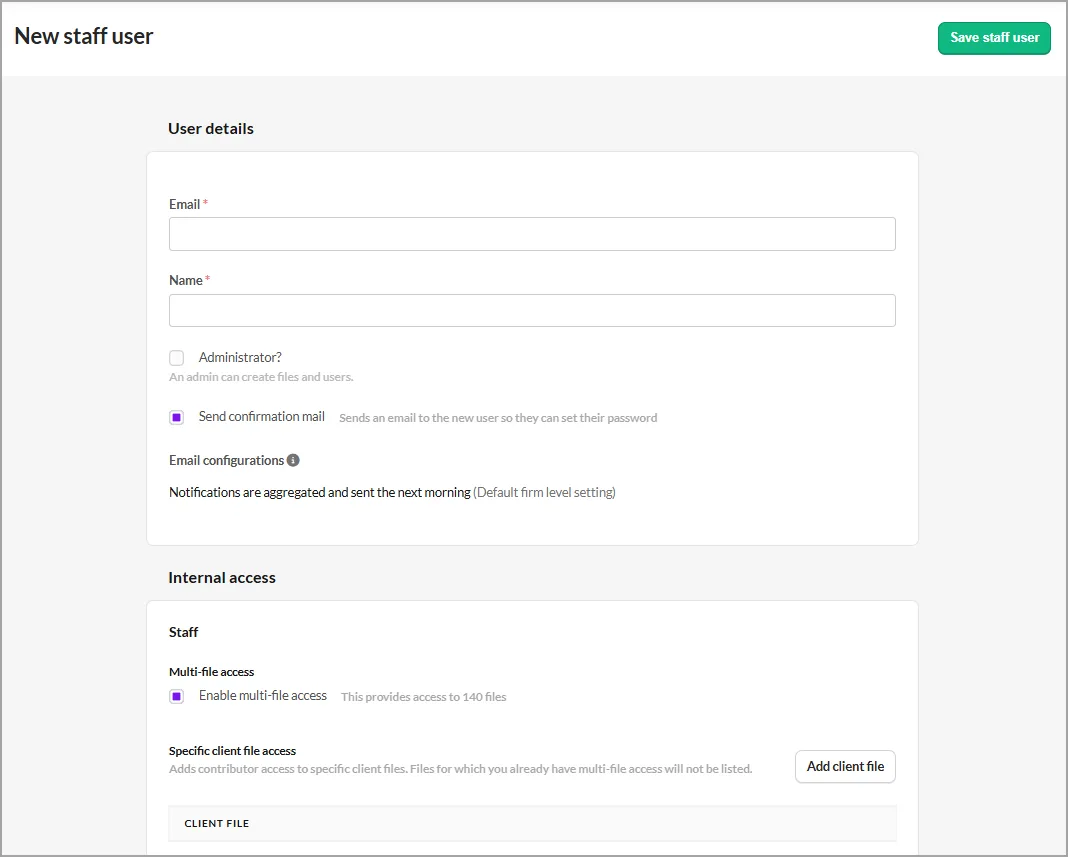
Complete the User details.
Make sure the user's email address matches their MYOB ID.
You can make the user an administrator. Remember that admin users will have full access to all files, settings, users, and templates. Only admins can create new files, modify styles and add users.
In the Internal access section, select Multi-file access or specific file access.
Multi-file Access: This gives the user access to all files that have also been set to multi-file access. You can adjust this later if you want to restrict the user to specific files.
Specific File Access: To give access to certain client files, don’t select Multi-file access and select Add client file and enter the name of the client(s).

