We’ve implemented CDM integration and document viewing in Planner, where Projects and/or Jobs are Client specific.
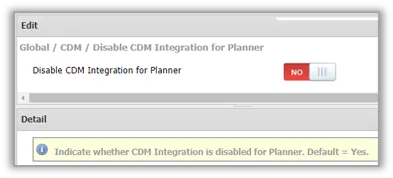
The Global / CDM / Disable CDM Integration for Planner System Option applies.
When set to YES, Planner functionality remains unchanged.
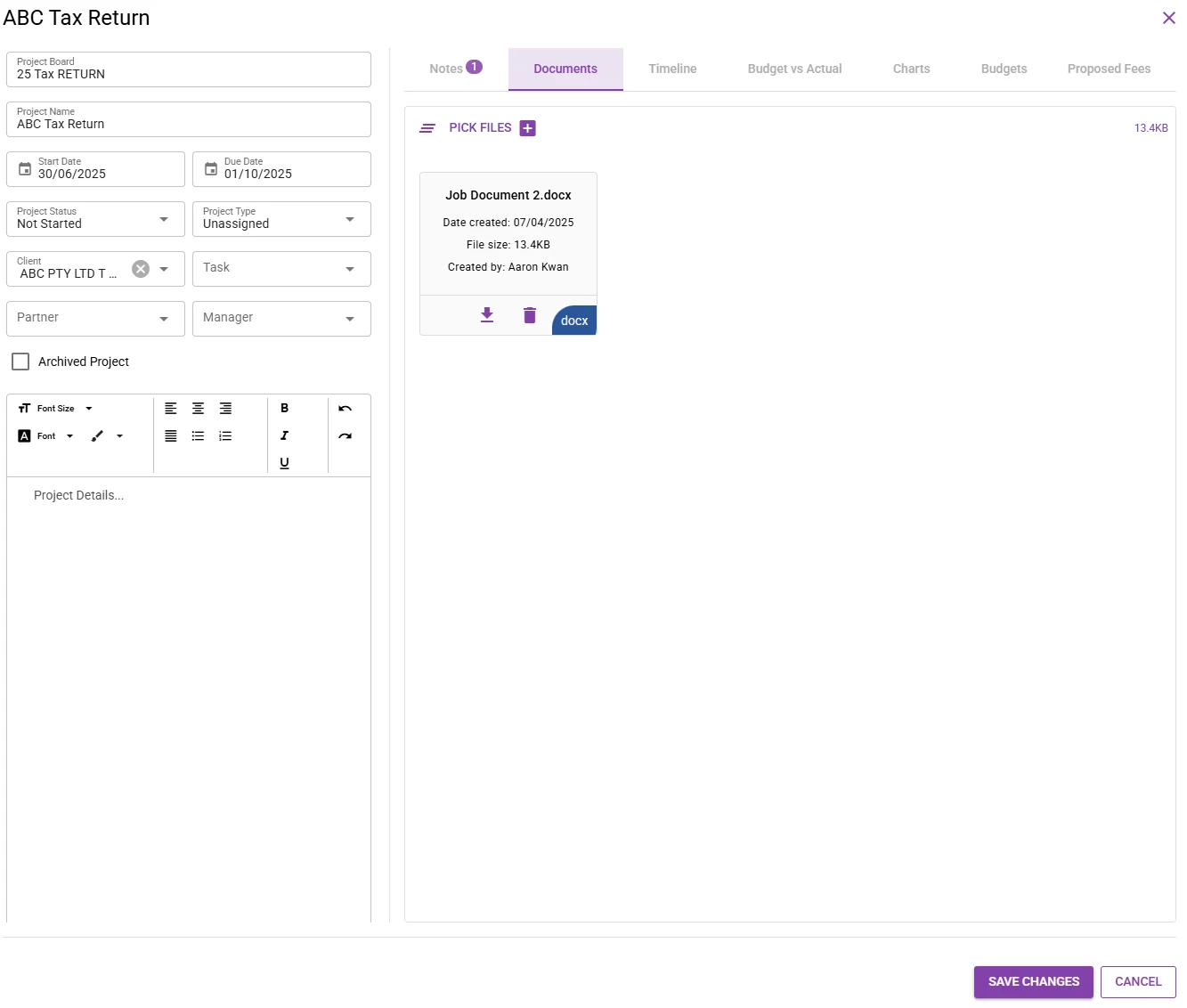
When set to NO, attached documents are uploaded in CDM, provided the Project and/or Job Client is selected. If no Client is selected, the document is not saved in CDM.
Whether or not a Client is selected on a Project and/or Job, once documents are attached to a Project and/or Job , the Client field is disabled and cannot be edited.
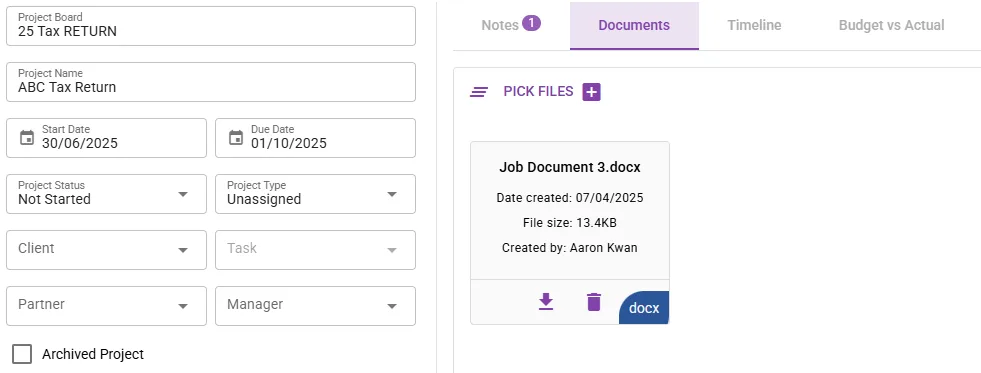
This means that a Project can simultaneously have saved documents that are attached saved to CDM or not, depending on whether a specific Client is selected before having uploaded the documents.
Projects and Jobs both have an additional Documents tabs with a document counter, whereas the Name of the Employee who added the document is also indicated.
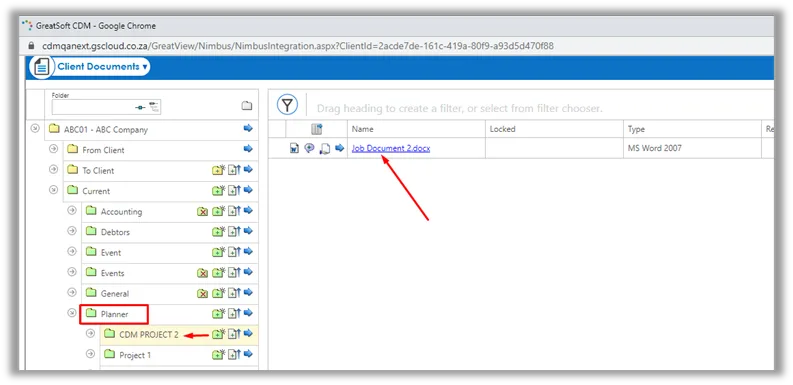


Firms who wish to utilize Nimbus integration with Planner, need to activate the system option as mentioned above, and confirm the Folder path in Nimbus they wish to save Planner Documents to. This is setup by a GreatSoft Administrator under Administration / CDM Tools / Document Types.
